
Piles of notebooks, sticky notes, and even your laptop can be easily replaced by your iPad if you have the right note-taking app. Whether you’re a professional scheduling meetings, a student taking lecture notes, or someone who simply enjoys taking notes, finding free software that really fits your workflow can have a significant impact.
The good news is that you don’t need to spend money to get a great experience. Several note-taking apps offer powerful free plans with handwriting support, cloud syncing, PDF annotation, and collaboration tools.
In this guide, we’ll explore the best free note-taking apps for iPad, compare their strengths, and help you decide which one deserves a place on your home screen.
Why Use a Note-Taking App on iPad?
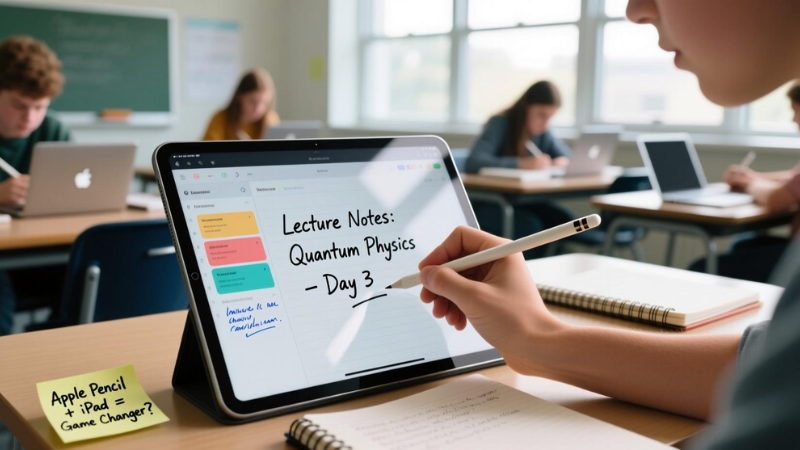
The iPad has evolved into much more than a media device. Combined with an Apple Pencil, it becomes a digital notebook that’s easier to organize than paper.
A good note-taking app lets you:
- Write naturally with the Apple Pencil.
- Type notes quickly
- Highlight PDFs and documents.
- Organize notebooks into folders.
- Sync notes across multiple devices
Best Free Note-Taking Apps for iPad
1. Apple Notes
Best for: Fans of the Apple ecosystem and regular users
Apple Notes is a great option if you’re searching for a free program that you can use right away without installing anything.
Every iPad has it pre-installed, and it has gotten much better over time.
Key Features
- Support for the Apple Pencil
- Typed and handwritten notes
- Intelligent folders
- Scanning PDFs
- Recordings of voices
- Checklists and tables
- Notes that require a password
- iCloud synchronization
Pros
- Totally free
- There are no commercials.
- Outstanding Apple integration
- Lightweight and incredibly quick
- Operates offline
Cons
- Limited notebook customization
- Fewer templates than competitors
2. Microsoft OneNote
Best for: Students and professionals
OneNote remains one of the most powerful free note-taking apps available.
Instead of traditional notebooks, it uses sections and pages that make organizing large amounts of information incredibly easy.
Key Features
- An infinite number of notebooks
- Assistance with handwriting
- Sketching instruments
- Recording audio
- Insertion of an image
- Text recognition with OCR
- Cloud synchronization
Pros
- Best for free plan
- Long-term planning.
- Some platforms are supported.
- Superb collaboration
Cons
- The interface may seem daunting.
- A little slower than more straightforward apps
3. Google Keep
Best for: Quick notes and reminders
Google Keep best ease of use over sophisticated notebook functionality.
It’s best for short notes, ideas, grocery lists, and reminders.
Key Features
- Interface for sticky notes
- Notes with color coding
- Notes on the voice
Pros
- Easy to use
- Fast synchronization
- Excellent reminder system
- Totally free
Cons
- Few handwriting instruments
- Not the best for long notes
4. Notion
Best for: Productivity and knowledge management
Notion combines note-taking with project management, databases, calendars, and task tracking.
Notion is something to think about if you enjoy keeping everything organized in one workspace.
Key Features
A rich text editor, Databases
- Lists of tasks
- Templates
- AI capabilities (limited free access)
Pros
- Extremely adaptable
- A lovely user interface
- Superb templates
- A complimentary personal plan
Cons
- No true handwriting support
- Learning curve for beginners
5. Evernote
Best for: Digital organization
Evernote has been around for years and continues to offer useful tools for organizing notes.
Its free plan includes enough features for casual users.
Key Features
- It has organized notebooks.
- Web snippets
- PDF files
Pros
- Excellent search capabilities
- Easy note organization
- Clean interface
Cons
- Device limit on free plan
- Some premium features locked
6. CollaNote
Best for: Apple Pencil users
CollaNote has become one of the most popular free handwriting apps on iPad.
Many users even compare it with paid apps because of its generous feature set.
Key Features
- Handwriting
- Audio recording
- paper templates
- Collaboration
- Stickers
- Shapes
Pros
- Free essential features
- Best for the Suitable for students
Cons
- Some advanced tools require purchases.
7. Nebo
Best for: Converting handwriting into text
If you prefer writing by hand but eventually need typed documents, Nebo stands out.
It has some of the best handwriting recognition capabilities.
Key Features
- Handwriting conversion
- Interactive diagrams
- PDF annotation
- Searchable notes
Pros
- Outstanding handwriting recognition
- Great for students
- Clean interface
Cons
- Some premium features are paid.
8. Zoho Notebook
Best for: Creative note-taking
Zoho Notebook takes a visual approach with colorful notebooks and attractive note cards.
Key Features
- Text Notes
- Sketch notes
- Audio notes
- Photographic notes
- Checklists
- Cloud synchronization
Pros
- Beautiful interface
- Easy organization
- Completely free
- Various types of note formats
Cons
- Fewer advanced writing features
Tips for Choosing the Right Note-Taking App
Before downloading an app, ask these few questions:
Will you mostly type or write by hand?
- Are you an Apple Pencil user?
- Do you require annotation for PDFs?
- Will you use Android or Windows to retrieve notes?
- Do you work together with coworkers or classmates?
- Would you want basic notes or an all-inclusive productivity system?
Conclusion
What you want will determine which free note-taking app is best for your iPad. Apple Notes is the best option if you’re looking for something dependable and easy to use. Apps like OneNote, CollaNote, and Notion are some of the greatest options if you require sophisticated organization, collaboration, or handwriting tools. The good news is that maintaining organization doesn’t cost money. Make your iPad a powerful digital notebook for business, study, or daily life by experimenting with a few options and selecting the one that best suits your workflow.
FAQs
Which free iPad app works best with Apple Pencil?
CollaNote and Apple Notes both provide an excellent Apple Pencil experience. If you mainly write by hand, CollaNote offers more customization and writing tools.
Can I take handwritten notes on an iPad for free?
Yes. Apps like Apple Notes, Microsoft OneNote, CollaNote, and Nebo all allow handwritten notes without requiring an upfront payment.
Is Microsoft OneNote completely free on iPad?
Yes. OneNote’s free version includes notebook creation, handwriting support, syncing, and collaboration. Some Microsoft 365 features require a subscription, but most users won’t need them.
Which note-taking app is best for college students?
Microsoft OneNote is a favorite among students because it keeps lectures, assignments, PDFs, and notebooks organized in one place while syncing across multiple devices.
Are free note-taking apps safe for storing personal notes?
Most reputable apps, including Apple Notes, OneNote, Google Keep, and Evernote, use secure cloud storage. Apple Notes also lets you lock sensitive notes with Face ID, Touch ID, or a password.